Showing posts with label ebook reader. Show all posts

Thursday, July 16, 2009

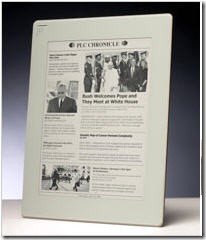
Solar Powered eBooks?

Ubergizmo is reporting that Neoluxiim is talking about integrating a solar cell into their newest eInk products.

They are promoting it as an advertising device; not an eBook device. It is inevitable, however, that eBooks will eventually be run on solar power.

This particular offering has a got-cha built in. Seems that the device dies after 18 months. Now there is a great example obsolescence if I ever saw one.

Solar is green -- very nice. The eighteen month life cycle more than wipes out any benefit when you think about the electronic waste involved. What are they thinking????????

Monday, January 26, 2009

eBook and eReader update

Last September. Waterstone's, the British bookseller, began selling the Sony eReader. Last week they released sales information.

The chain claims to have sold almost 30,000 readers and their downloads have passed the 75,000 mark. Which works out to about 2 1/2 books per reader. Very interesting. . .

Particularly interesting since Amazon refuses to give out any sales numbers on the Kindle other than Jeff Bezos' statement that "sales are great." And an estimate that 12% of book sales are for the Kindle editions.

The one sure thing is that eBook sales are on the upswing, whatever anyone says about individual eReader sales. The IDPF (International Digital Publishing Foundation) reports that between January and November, 2008 sales were up 63.8%. The disclaimer on this is that the IDPF number reflects only the sales for 13 of the many trade book publishers.

Alternatively, Ingram's Education Solutions unit reported that eBook sales from January to May, 2008 surpassed the 2007 figures by 400 percent!

Both of these stats sound really great until you realize that eBooks sales are about .5% of all book sales. And when you consider the number of smart phones (including the iPhone) in use .5% is shockingly low.

My original supposition was that much of the reading on these devices are downloads from project Gutenberg on other free eBook sites. But if Juniper Research is correct, my supposition is dead wrong.

The Juniper analyst predicts that the worldwide mobile adult market will hit $4.9 Billion within the next five years. Hmmm. I suppose that is good news for Larry Flynt, but not so good for Amazon and the major publishers.

No matter what you choice of reading material is I want to remind you that Read an eBook Week starts March 8th. We will have more info about how you can help promote this week and make it a success.

Short post today -- have to spend the week getting all my tax info to the accountant. I do hate this time of the year!

Monday, January 12, 2009

eBooks on the Cell Phone/PDA (the 2009 version)

When I was younger I never went anywhere without a book.  Besides commuting there were two other basic reasons:

  • I was so enthralled with my book I could barely put it down
  • I never knew when I would get stuck somewhere and (Heaven forbid) I would have to just sit there. . . waiting

I am sure that some of my back problems as an adult come from years of lugging a heavy book in my shoulder bag.  But that is another story.

Life is different now!  Instead of a book, I carry my PDA with me (usually in a pocket). I am not exactly unique!  Walk down any city street, almost anywhere in the world, and you will see that almost everyone has a cell phone or PDA.  You see iPods, Blackberry''s, Pocket PCs, Palms and too many Smart Phones to name.

Closeup of young men and women holding cellphoneThe other thing you see is people peering at their screen; reading. 

You might think they were actually reading a book, until you notice their fingers flying over the keys as they answer the text, twitter or IM. 

Seems that for those under 30 there is much more peering than talking going on.

I am not a big texter or twitterer (no patience with those little buttons) and I rarely do IM, so it would seem logical that I would be reading more books.  Right?  Well, not exactly. I find that books have a lot of competition these days!

Now when I have to wait I have so many choices!  Most of them infinitely more interruptible activities than reading.  So, I usually opt for something easier:  do a sudoku, talk on the phone, answer email, surf the net, watch TV or (even occasionally) text. Reading has become something I do when I know I have a long stretch of time ahead of me -- like on a train or a plane.

I never carry a book around with me anymore.  And I find that reading on a handheld device has subtly changed my reading habits in other ways as well:

  • I read faster and with better comprehension when the text is in smaller chunks.
  • I actually look up words I don't know or want clarification on because I can do it easily and immediately.
  • I am reading the classics again.  They are almost always free (www.gutenberg.org)
  • I buy books I would not have ever bought before because they are relatively cheap

Which makes me wonder about you. 

Has reading on a digital device changed your reading habits?  And if so, how? 

Wednesday, December 31, 2008

GoodBye 2008!

I can't say I am sorry to be making the last post for 2008.  It has been an amazing year with terrific highs and lows. 

So, what is in store for 2009?  I checked my crystal ball and evidently it is broken since everything is cloudy.  Oh come on, it's a joke. . .

There are, however a couple of things that seem intuitively obvious to me: 

  • Digital books will become increasingly popular and the percentage of books sold this way will double (from 1% to at least 3%)
  • By January, 2010 the iPhone will up a more popular reading device than the Kindle

As additional "proof" for my predictions you only need to look at an article in the Huffington Post.  It shows that five of the six most popular Christmas morning Google searches were iPhone, iTunes, and iPod Touch-driven. All six are:

  1. iTunes.com
  2. iTunes download
  3. iTunes store
  4. stores open on Christmas day
  5. www.itunes.com downloads
  6. iTunes gift card"

Add to that that TechCrunch is reporting rumors about a 7 inch - 9 inch iPod screen due out next fall. 

I want one of these!

So, Goodbye 2008 (and pretty much good riddance!) and Hello 2009!

Monday, December 29, 2008

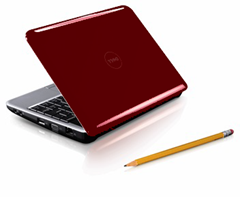
eReaders -- Have you considered a "Netbook?"

image


Last week Stacey Higginbotham wrote an interesting blog piece on notebook computing and what that might mean for the electronics industry.

She notes that notebook PC sales have overtaken the sales of desktop type machines.  This is the direct result of WiFi and the almost ubiquitous access to the Internet.

This is of interest to me, because Henri needs a new eBook reader.  It's time. . .

I figured that it would be a great Christmas present, so I started looking very closely at all the eReaders -- Kindle (never), Sony, Cybooks, Irex, BeBook and a few others. 

From my perspective the best available option is the Irex.  It has a touch screen, is able to connect by WiFi to the Internet and allows you to make notes and annotations.  It reads protected Mobipocket files and unprotected PDF.  All in all, contrary to my first opinion, it has turned out to be a great machine.  Or at least it is until you check out the price -- $700!!!

Well, let me think!  Here is a pretty much single use device that costs more than a fully powered, big screen laptop.  Too rich for my blood!

But the laptop thought triggered an idea.

I have been hearing about netbooks so decided to check them out.  Acer makes one called the Aspire One.  It sells at Costco for $349.00.  This is a fully functional Windows XP notebook with 1 GB of RAM, a160GB hard drive that is net ready and weighs about 2 pounds.  And it has a great screen with brilliant colors.

Heck, with that capacity, it is a lot more robust than a couple of the laptops we have laying around. 

Because it has the XP operating system it can read protected Mobipocket, PDF and Microsoft reader eBooks.  Because it is net ready you really don't need to buy an software.  All you need to do is access email and Google Docs are you are ready to go.

Of course, if you want to work offline, you can always load Star Office (for free) and have a fully functioning road machine. 

Sony and Cybook readers are in the same price range and do a whole let less. 

Rumor has it that Dell and a couple of other companies are getting ready to introduce lighter, faster, cheaper models next year.

I would love to finish this piece by telling you that I bought Henri a net book and we are both very happy. But that is not what really happened.  What really happened is that I put off the decision and the purchase for a couple of months.

And Henri, lucky man, got a new shirt. . . .


Monday, October 27, 2008

eBooks, Amazon and Oprah

It's been quite a week for Amazon. On Thursday they announced a revised projection for 4th quarter sales: somewhere between $6 and $7 billion. I don't care who you are; that is a LOT of money!

oprah kindleBefore you start feeling sorry for them; consider that on Friday Oprah endorsed the Kindle. Called it a "life changing" product, no less! She says it changed her life and even says "It's absolutely my new favorite favorite thing in the world."

Oprah is, of course, a marketing machine and this endorsement is sure to help Amazon's bottom line. And you can be sure that publishers are hoping it helps them as well.

The thing that really strikes me is that when it comes to eBooks, Amazon has fixed it so that they realize revenue off of almost every eBook sold for portable devices. Take a look at the chart listing the various popular reading devices and the reading software that they use to read DRM protected eBooks.

Adobe eReader MobiMS ReaderPropr- ietary Palm
BeBook

X

Cybook

X

iPhone

X

Illiad

X

Kindle

X

Nokia Phones

X

Palm

X

X

PocketPC

X

X

SonyPRC

X

X

Almost all of them use Mobipocket as the reader of choice. And just guess who owns Mobipocket. Amazon, or course. So, as long as publishers insist on using DRM on their titles, Amazon wins big!

It might be inaccurate to say that Jeff Bezos has bet the farm on digital reading, but however you look at it, he has certainly hedged his bets!

This is very good for Jeff and Amazon, I am not so sure that it that good for authors, publishers or even readers. Amazon is in the extraordinary position of control both access to the market (authors and publishers) and product placement in the market (readers). It always makes me nervous when any company has that much control (or even influence) in a particular market.

Tuesday, September 9, 2008

The New York Times Reports A New E-Newspaper Reader Echoes Look of the Paper

Yesterday eink newspaperPlastic Logic Corporation unveiled it's latest (and as yet unnamed) device:  a big light-weight plastic screen version of an eNewspaper.  Its light, portable and constantly updated.  The device should be on the market early next year.

The screen is close to 81/2 x 11 inches and is continually updated by a wireless link (where wireless is available).  Hundreds of pages can be stored to read at leisure for those who do not want to keep up to the minute.

The device is easy to read since it uses eInk technology.  The is the same technology that is used for Bookeen's Cybook, the Sony PRC reader, Irex Illad and other eBook readers. 

It will be fascinating to see which news organizations will be the first to implement.  Hearst already distributes versions of it's paper on the Kindle.  I have been wondering about that -- as a daily reader of the New York Times and Washington Post online, it would take a lot to convince me to buy an expensive device to view what I can now see for free.  But evidently Kindle and Hearst believe there is a market out there and are pushing ahead.

The more I think about it the more I am able to relegate it to an Interesting idea and fun technology.  But the real question for me is much more urgent:  Do any of us need one more device? 

I am the proud owner of a Cybook, an Irex Illiad, an eBookwise reader, a Palm, a Nokia based cell phone, a Blackberry, an ultra-mobile pc and 2 laptops.  Do I really need one more thing to carry around?  It has gotten to the point that when I travel I practically need a separate suitcase just to carry my cords, cradles and cables. 

None of the above mentioned devices is close to ideal for eBook reading let alone eNewspaper.  The eInk devices are nice but don't accommodate color and are not backlit.  The Blackberry, cellphone and Palm work fine, but the screen is way small.  The UMPC is heavy and overkill as are the laptops. 

I find that the device I read from most often in my Palm.  It is backlit, has beautiful color with a great touch screen, connects to the Internet from almost anywhere and has multiple useful programs and functions besides. I can even hook up to skype and use it as a phone.  My only complaint is the size of the screen -- very small. 

Makes me think that it is easy to get gadget blind and lose track of the real objective -- information!


Monday, May 5, 2008

eBook Reading reported

Last month Tickermine took a random poll about reading; electronic reading on eBook readers in particular.  I know that random self selected polling is not exactly scientific.  But it is an interesting snapshot of those who have strong opinions on any given subject. 

kindle and sony

I was fascinated by both the questions and the responses.  

  • Do you own a copy of an eBook?
    • 33% said they owned an eBook 67% said they did not.
  • Do you plan to own one?
    • 37% said they planned to buy one in the future
    • 63% said they would not
  • What is the most you would be willing to pay for one?
    • 57% said they would be willing to pay under $100
    • 23% said they would pay $100-$200.
    • 11% stated $200-$300
    • 6% capped their price at $300-$400.
    • 3% said they would be willing to pay over $400.
  • Which factors influence your decision to purchase an eBook?
    • 32% cited how many books it can hold
    • 26% answered wireless downloading of the material
    • 14% were concerned with battery
    • 11% stated the size
    • 6% responded that weight was the primary concern
  • How would you use an eBook?
    • 60% said reading books
    • 11% said web content
    • 9% said they would read magazines
    • 9% said  reading blog
    • 6% said documents
    • 5% said newspapers.
  • Which brand would you prefer buying?
    • 37% chose Kindle
    • 34% preferred Sony Reader. 
    • 29% said they prefer reading on printed paper.

The people who chose to answer this poll, were for the most part people who did not own and eBook and did not plan to buy one and yet they have very strong opinions about what they are willing to pay and which reader they prefer. 

The thing that strikes me hardest is that only 6% were willing to pay $300-$400 for the reader and yet 37% picked the $400 Kindle.  Only 11% were willing to pay $200-$300 and yet 34% picked the Sony reader.  You might say that only 17% were actually willing to pay for either of the two most well know readers on the market.

The second thing I find curious is that the biggest influencing factor is the number of books the device will hold.  Only 11% were concerned with screen size.  If you had asked me to guess I would have reversed those two results. 

I am not sure exactly what this all means. Clearly there is a large disconnect between what people want and what eBook Reader manufacturers are charging.

I can't help but wonder about the influencing factors for buying an eBook reader.  Both the Kindle and the Sony claim to hold 200 books on the device and yet they both have additional memory card capability which infinitely expand storage capacity.  The most notable answer is the answer about wireless access.  Kindle has done a great job of promoting that particular feature.  The problem of course is that it doesn't necessarily work well in real life. 

In the final analysis, eBooks have a long way to go before they are priced low enough and before eReading will be a generally accepted reading method.

Thursday, January 24, 2008

Readius -- The Scroll Is Back

Everything old is new again: a reading platform that starts out the size of a pack of cigarettes (I know, it is politically incorrect to even use that c-word)and expands to a full 5 inch screen. 


readius closed

readius-good 

Photos of the so-called Readius prototype have been kicking around for a while. I couldn't have told you the thing was called Readius® but I did know that it was a small light reader with a roll up screen and just eight buttons!

What's not to like about the idea other than the fact that it isn't OLED based?  But I won't bore you with my particular hobby horse.

OLED or not, you still get a small, light thing to carry around.  A gadget that combines high resolution and long battery life -- always a winner.

Secretly, I've wanted one since I saw the first prototype.  If nothing else you have to admit that there is a real "coolness" factor to that roll up screen.

Looks like I might actually be able to get one soon.  According to a Reuters story earlier this week, the Readius will be available for sale by this summer.

The word is that it is really a cell phone that handles eBooks, RSS feeds, email and audio files.  Added features include a 30 hour battery life, an SD slot and it's very own portal.

According to Karl McGoldrick, chief executive of Polymer Vision:  "We are taking e-reading and bringing it to the mobile phone." 

Coolness not withstanding, before I get too excited there are a few question I want answered:

  • About that portal:  what exactly do they mean by  "the portal allows users to personally configure the Readius® User Interface and design content and services to their own style and needs"?
  • About reading:  What eReader software will I be able to use?  Will I be able to read my Mobipocket or PDF files?  Even the protected (DRM'd) files?
  • About eCommerce: Will I be able to buy eBooks, news services and subscriptions anywhere or will I be stuck with a proprietary reader and limited choices?
  • How much will it cost? 

The other thing I wonder about is if this device represents competition for current eInk readers (Kindle, Sony, Cybook, Irex etc) or the iPhone?  I guess time will tell.

Tuesday, December 11, 2007

Technology is not the Point!

Henri Reynard weighs in on eBook Technology.  Henri presents his views on E Ink, the Kindle and what he really wants.

eink

A spate of eBook readers has hit the market recently with one or two yet to follow. The display candidate of the moment is the technology based on E Ink which rhymes with pink but has the visual value of oink to my eyes.

The background is gray and slightly hazy.  I do not think that the visual effects of a book are very well presented. AND they all cost over three hundred dollars.  A sum of money for which these days you can get a fully featured portable PC. Or for that matter more than half of an Iphone if you really like technology that much.

I am not a fan of any of the current crop of eBook readers but they are getting better at getting the size and weight close to right for the avid reader. E Ink readers have one major drawback: they are fragile and not as capable of living through a good drop to the floor from the bed – a criteria for books in my house.

My wife is a technocrat of the first order so I get to hold a lot of technology in these hands. New technology is not likely to impress me unless I think it will actually move the market. Take for example the Kindle, well named if you believe in burning books.

I seldom have used a book to start a fire, notice I did not say never. But the Kindle suffers from some interesting drawbacks. It is totally proprietary and makes no apologies about that fact. It also loses in the cost derby since it has no price advantage to go along with its other restrictions. Note that it cannot read protected PDF which is one of the most prevalent formats for eBooks sold today.

No! I think I will wait on a better technology than the current oink -- ER, E Ink -- crop before I buy another reader. Maybe the tablet PC will be back in a solid and simple light weight form before this is all over. An open standard and a really large memory with a lot of computing capability. Now that would be an eBook that didn't depend on a lot of new untried technology.

Wouldn't that be nice?

Friday, November 9, 2007

eBook Reader - My Cybook is here! (Continued)

You didn’t really think I would be able to wait until the weekend to download a book, did you? Of course not! I had to buy at least one book.

The entire process (including looking for books) took less than five minutes. It was the absolute easiest time I have ever had putting an eBook on a new device! Bottom line, I feel like I’m in a Staples ad: That was easy!

When I finished yesterday I had been pushing buttons in an effort to figure things out. Now it was time to actually download a book.

  • On your Mark: One of the things I discovered, sort of by accident, was the Mobipocket PID for the device. In case you are wondering here is what you do to find it: open any Mobipocket demo book; push the 2nd button on the left; scroll down the table to the Advanced tab; then scroll down to the About tab. VoilĂ  (had to get at least one French word in here)!

  • Get Ready: Connected the USB cord to my laptop, plugged the other end into the device and switched the Cybook on. Before long I was notified that I had new hardware – Cybook Gen 3. Just to check, I pulled up the file manager and it there it was – drive G on my machine. So far so good!

  • Go: Clicked on my handy eBooks About Everything icon, browsed the new releases put two Books -- Never Enough by Joe McGinniss and Telling Secrets by Frederick Buechner-- in my shopping cart and checked out. They showed very quickly on my bookshelf and I was ready to download them into the My eBooks file. Next, I fired up the Mobipocket reader and it found and registered the Cybook device in seconds. After that, it was a simple matter of importing the files into the reader and finally, storing them on the device.

As I started to read, using the big button on the right side of the device to change pages took a little “getting used to.” My habit is to turn the page on the left side or by using a button in the middle of the device. But getting used to this new method didn’t take as long as I would have thought.

I experimented with font size, type family, page layout and lookup mode. I also figured out that once in a book, the center of the big button would take me to the eBook menu so I didn’t have to fumble around with those little buttons on the side.

Over the weekend I will experiment with RSS and eNews feeds and give the device the acid test.

The acid test? Will my Mom be able to use it?

All in all – this has been a good experience and I am a happy customer. Sure there are a few changes and/or improvements I would like to see, but they are relatively minor and do not impact my overall satisfaction. Good job, Bookeen!

Thursday, November 8, 2007

eBook Reader - My Cybook is here!

Yesterday afternoon I got my Cybook . I made a very adult decision to wait until this weekend to actually play with it. Monday is a holiday and I should have some extra time. Right now, I have things to do, emails to answer, blogs to write and meetings to attend.

Mistake 1: I had to at least open the box and plug it in. After all, it does take three hours to charge.

Mistake 2: I picked it up -- you know, just to move it. I knew it was light but I struck with how light 6.3 oz. really is!

Mistake 3: Since it was in my hand, it seem logical to turn it on -- just to see if it really works. I am happy to report that it works.

The system came up quickly and all of the sudden I was in the Library -- thirty six preloaded files. The view was wonderful: clean, crisp and easy to read. Made me remember why eInk is such a big deal even if it isn't backlit.

And that was it. . .

I started playing. First, the big button on the front. It acts as a combine directional navigation and "Enter" key. Pretty miminalistic but effective. I found six small buttons on the sides (4 on the left and 2 on the right) with tiny unreadable (to these old eyes) symbols on them. I am quite intrigued by them especially, since they remain the "mystery" buttons on the device.

The half page quick start guide made a point of telling me that all would be clear if I read the User's guide. Despite my basic notion that anything that requires a manual is badly designed, I was actually willing to give it a whirl. So I scrolled around the Library looking for it.

Found music files, book files and picture files including one entitled "How eInk Works". No user guide! I went back through the titles 3 times, just in case I missed it.

Took a quick detour to email Bookeen asking about the User Guide. Got a very quick response (impressive) telling me that they would be sending it out to me today in eBook form.

Back to the eBook. Figured I would just start pushing the buttons and find out what happens. So this is what I found out:

  • one button takes you to the Library;
  • one button allows you to navigate in a book (start, find page, change layout, change font and add bookmarks);
  • one seems to control music.
  • The other three? Who knows? Guess I will have to wait for the user guide.
The device does not have a touch screen or stylus and I found that I actually miss them. I am in such a habit of poking and sliding around a screen that it felt strange not to be able to. Very disconcerting to me (a creature of habit).

I dipped into all the files on the device. . . pretty cool stuff. The thing that impressed me the most is that the page change is fast and smooth. No waiting, no ghosting and no jumpiness.

So that is my first take. Unfortunately, I really am out of time: email is stacking up, phones are ringing and I am due in a meeting shortly. Obviously, I haven't tried to download a book yet; that is a task for later (maybe that can wait until this weekend). I'll let you know how it goes.

My overall first impression? Positive. . .

To be continued

Google
 

Subscribe Now: Feed Icon